We are delighted to announce the winner of this year’s annual Exemplary Course Award.
Congratulations to Mari Dunning from Lifelong Learning for the award-winning course: XM18210: Writing Women: Feminism in Poetry and Prose.
The panel noted exemplary practice in the courses’ clear introduction and design, strong support and guidance, active and engaging participatory activities, and creative tasks. This was all achieved through an accessible and enthusiastic online learning environment.
Many congratulations to our highly commended and commended recipients:
Law & Criminology’s Dr Kathy Hampson for the course LC37120: Critical and Radical Criminology
Lifelong Learning’s Henrietta Tremlett for the course XM15710: Autobiographical Writing
Computer Science’s Dr Yasir Saleem Shaikh for the course CSM0120: Programming for Scientists
These 3 courses demonstrated some excellent practices, including: clear and accessible structures, effective use of weekly quizzes, engaging and varied activities, clear marking and feedback processes, creative assessment design, and well-designed learning objectives communicated with clarity.
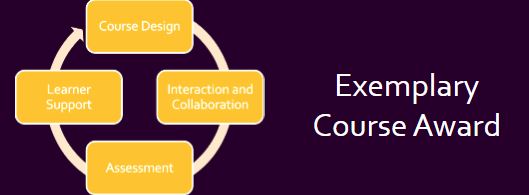
The award is assessed based on a rubric across four areas:
Course Design
Interaction and Collaboration
Assessment
Learner Support
The courses were of such a high standard, and we look forward to sharing their practices with you in due course.
Many congratulations to this year’s well-deserved recipients.
As leader of our PGCTHE programme, I keep an eye out for resources to help staff teach effectively. These include webinars, podcasts, online toolkits, publications and more. Topics include active learning, online/blended teaching, accessibility/inclusion, and effective learning design based on cognitive science. Below I’ve listed items that came to my attention in the past week. In the interest of clarity, our policy is to show the titles and descriptions in the language of delivery.
7/4/2025 RAISE, RAISE Student Engagement Reading Group (Islam, Maisha (2024) ‘Entrenched inequalities and evolving challenges: harnessing hope for Muslim students and staff in Higher Education’, from Uncovering Islamophobia in Higher Education, PalgraveMacmillan, pp. 269-29)
Bruff, D. (n.d.), Derek Bruff Teaching Hub Collections, University of Virginia Center for Teaching Excellence (collections of guidance for effective teaching, highly recommended)
Wilson, J. (28/2/2025), GenAI vs Academic Skills Development, Teaching Matters, “Promoting, discussing and celebrating teaching at The University of Edinburgh”
Other
Call for proposals (open dates)Unfiltered by EmpowerED: A Podcast Series where educators share unedited stories of inspiration and challenge
Monthly series European Network for Academic Integrity, ENAI monthly webinarsfree open webinars on various topics related to academic integrity.
Please see the Staff Training booking page for training offered by the LTEU and other Aberystwyth University staff. I hope you find this weekly resource roundup useful. If you have questions or suggestions, please contact our team at lteu@aber.ac.uk. Social media: X.com, BSky.
We are pleased to announce that Panopto Automatic Speech Recognition Captioning was approved at the recent Quality and Standards Committee.
This means that for the academic year 2025-26 and beyond, automatic captions will be applied to your Panopto recordings.
Viewers see the captions appearing at the bottom of the screen or can download a transcript:
Whilst captions will appear automatically next academic year, colleagues can already apply automatic captions to all the recordings in a Panopto folder. Consult Panopto’s guidance on how to do this.
We have been working to enable automatic captions for several years, so we welcome this development. As part of this work, we have taken mitigating steps to address some of the challenges and concerns, including:
Inaccuracies of automatic captions
Clear expectations for staff and students
Managing multi-language courses
Automatic Captions are applied to all recordings on the site once we enable this feature. The default language that will be applied to module folders is English. Modules delivered 100% through the medium of Welsh will have their folder settings manually updated to generate Automatic Captions in Welsh.
We have also undertaken an Equality Impact Assessment to address some of the challenges posed by Automatic Captioning which is available by request (elearning@aber.ac.uk).
To facilitate the enabling of automatic captioning, the Lecture Capture policy has been updated. We review all of our policies (Lecture Capture, Blackboard Required Minimum Presence, and E-submission) annually. We will release further communications regarding these updates in due course.
We will now start work on updating Panopto to enable Automatic Speech Recognition captioning for 2025-26.
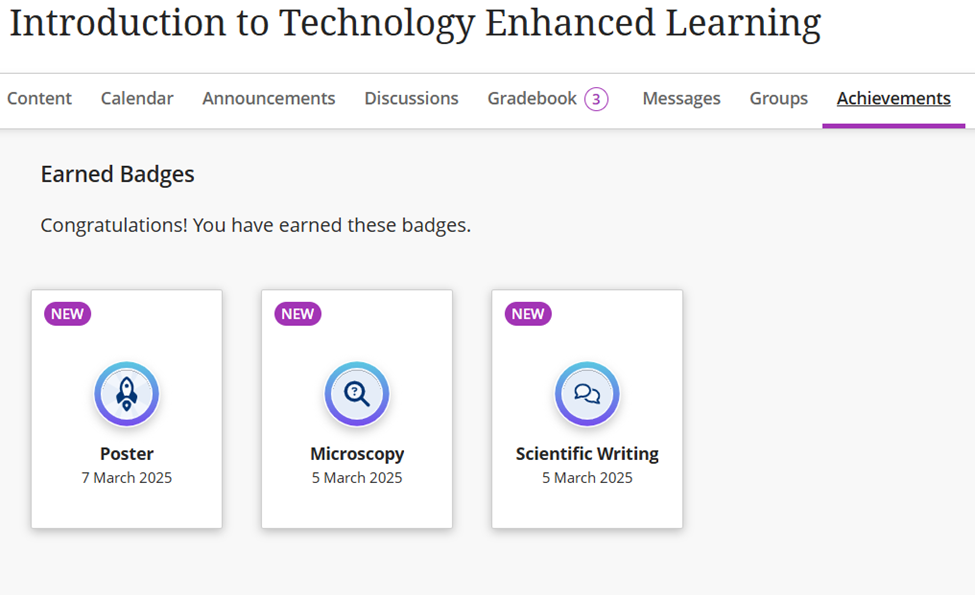
We have enabled a new feature on Blackboard called Achievements.
Achievements allow instructors to link student achievement to badges to help recognise their accomplishment or proficiency.
See Blackboard Help for an overview of achievements. The help site will give you advice on the types of activities they can be used for as well as how to set them up.
To create a badge, you need to associate it with a Gradebook column – such as a test, assignment, or Turnitin. You can specify a certain level that needs to be attained to generate the badge.
Students can then view their achievements on the course or organisation from the Achievements tab. We’d welcome working with colleagues to explore how achievements could be used at a scheme or department level.
Registration for the thirteenth annual Learning and Teaching conference is now open.
This year’s Learning and Teaching conference has the theme Innovative Pathways to Empowering Learners: Adapting, Engaging, and Thriving and will be taking place between Tuesday 8 and Thursday 10 July 2025.
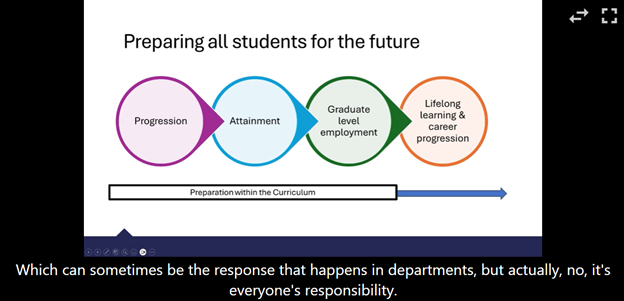
Inclusive Curriculum 2.0: Bridging Inclusion and Employability Aims through the Curriculum
We are delighted to confirm our keynote for our mini conference on Tuesday 8 April.
Dr Aranee Manoharan from Kings College London will be joining us.
Please see below for an overview of Aranee’s keynote and a biography. You can book your place for the mini conference online and we will be announcing the full programme in due course.
If you have got any questions regarding this event, please contact the conference organisers on elearning@aber.ac.uk.
In this keynote, Aranee will introduce an approach to inclusive curriculum design that supports all students to develop the knowledge, skills, and experiences required to successfully navigate the rigours of a VUCA 21st century. The presentation will explore the key principles of inclusive curriculum development that supports student and graduate outcomes, before sharing how employability can be integrated effectively through subject teaching & learning – including using a programmatic approach to curriculum design and high impact pedagogies and assessments. The session will share a range of tools that Aranee has developed through her work with academic and professional services teams in this area; all of which can also be found in the QAA-funded toolkit for Inclusive Employability Development through the Curriculum that she led with colleagues at City University and University of London.
Dr Aranee Manoharan, PhD, SFHEA, FRSA
Aranee is Senior Associate Director for Careers & Employability at King’s College London. With experience across the areas of teaching, student experience, and educational development, as well as EDI and governance, she specialises in taking a whole student lifecycle approach to improving student outcomes. An Advance HE Senior Fellow, she specialises in inclusive approaches to curriculum design to support student and graduate outcomes and has significant experience working with academic teams to facilitate real-world learning, using high-impact pedagogies and assessments, delivered in collaboration with community and industry partners.
A committed advocate for equity and inclusion, Aranee serves on a number of advisory groups, including the Institute for Student Employers (ISE) EDI Working Group; Royal Society of Biology HUBS Awarding Gap Network; Advance HE’s Race Equality Charter Governance Committee; and as a Board Director for AGCAS, where she leads the social mobility, widening participation, and regional inequality portfolio. Aranee is also the Director of AM Coaching & Consulting, a consultancy that supports organisations to establish inclusive working, learning, and research cultures.
In the March update, Blackboard has changed how release conditions work with due dates and included the ability to copy banners from one course to another. Other updates include enhancements to Tests, Assignments, & Gradebook, and Discussions.
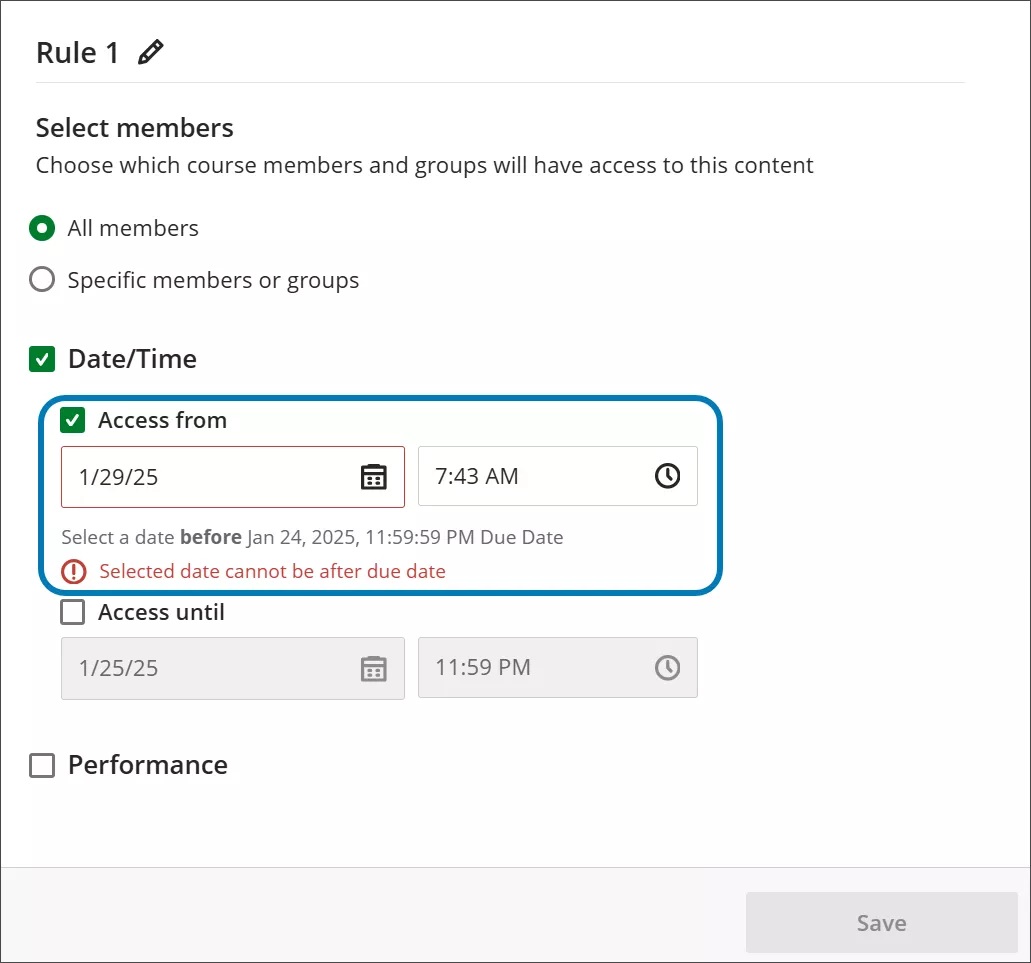
Release conditions panel: due dates now included
When instructors customise release conditions for a content item, the due date for the item is now included with the date and time fields.
Image 1: The due date of a content item now displays after the date and time fields
.
This means that due dates must be between the release conditions of Date/Time that have been applied.
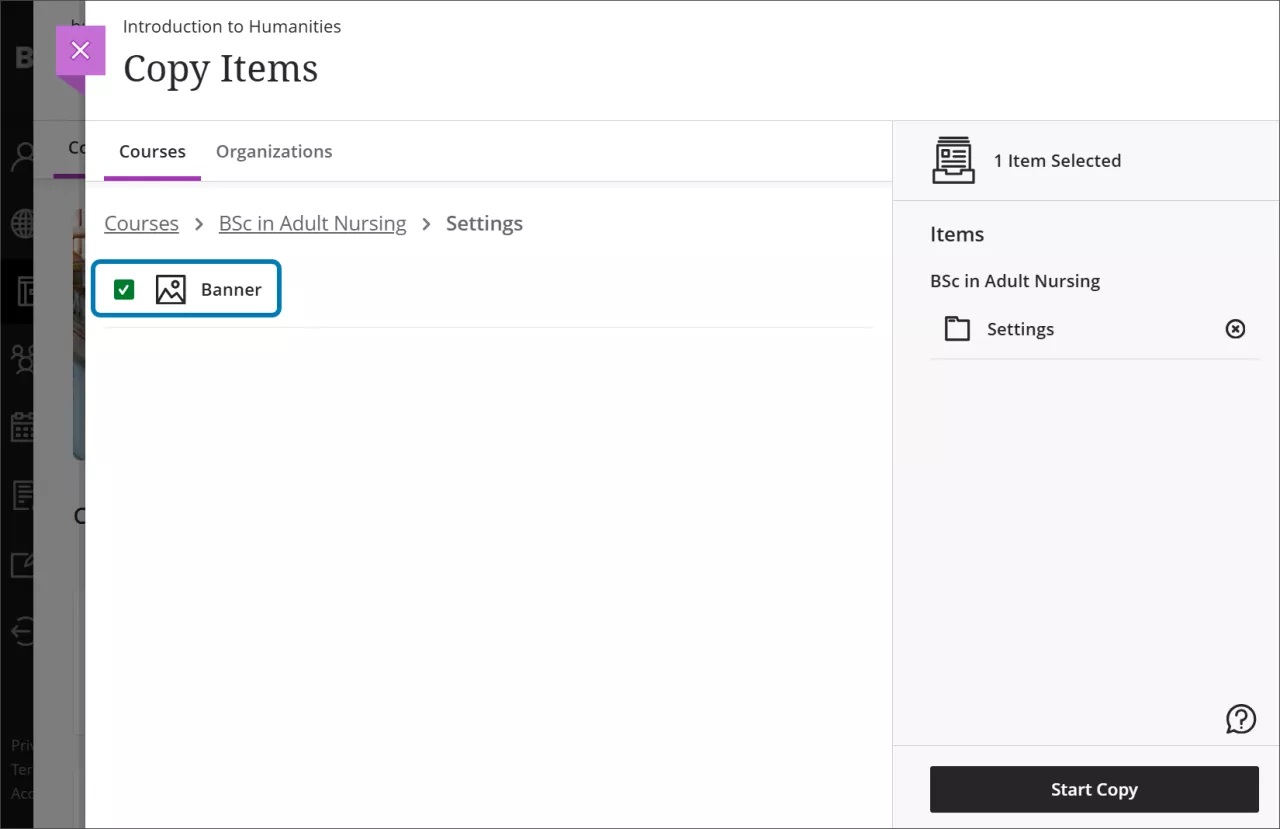
Copy banners between courses
Instructors now have the option to copy banners between courses. Banners can be copied from Ultra or Original courses.
Image 1: The Copy Items page now has the option to select the course banner under Settings
The following enhancements are grouped under tests, assignment, and gradebook activities.
New student submission review page for tests
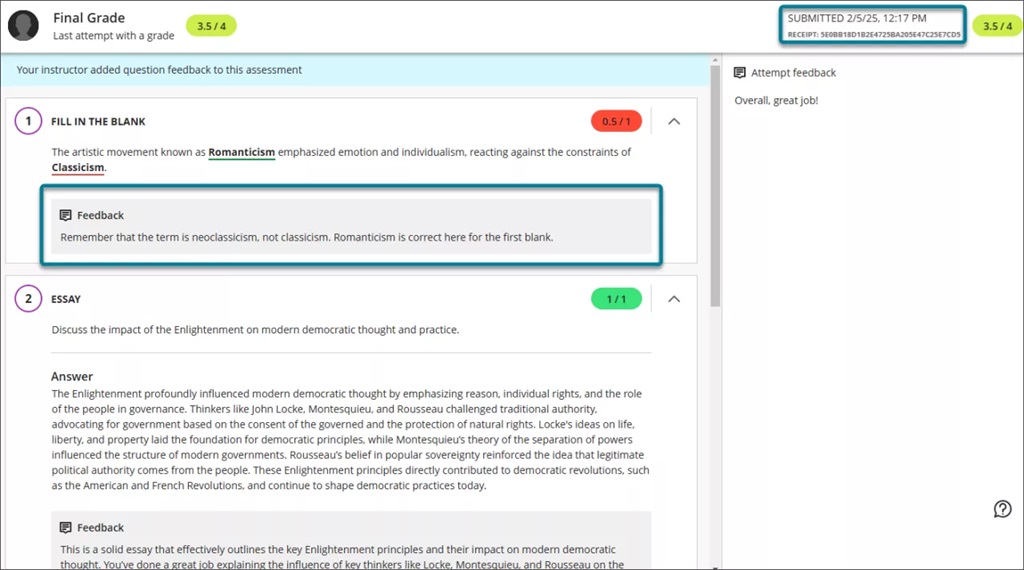
A new and enhanced student-facing submission review page for tests has been developed.
The new layout means that all feedback is clearly laid out and easy for students to identify.
Image 1: The student view of the graded test submission includes a submission timestamp, submission receipt, and feedback for individual questions.
If the test is visible and feedback has been posted, students can access the review page from:
The gradebook feedback button for the test
The small panel that displays when students access a test from the Course Content page
If a student submits multiple attempts, they can review each attempt on the submission review page. The instructor defines which attempt to grade in the test’s final grade calculation setting.
Please note that this does not affect online exams as we advise that the test is hidden from students to prevent them seeing their results.
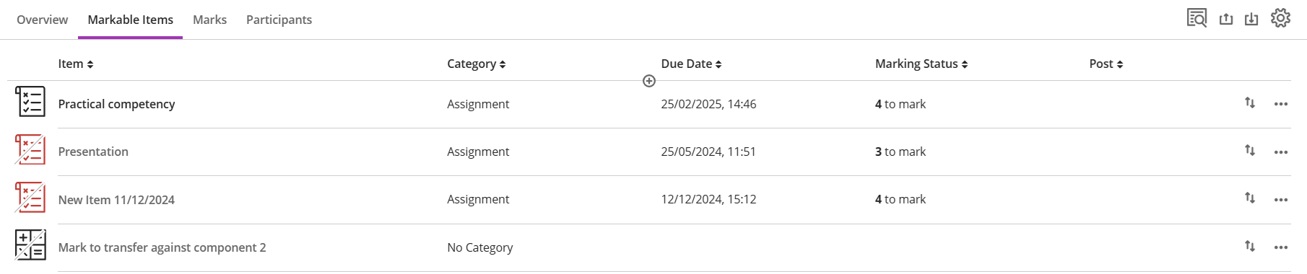
Show/hide calculated columns in the gradebook
Instructors can now configure visibility for calculated columns from Items Management in the Gradebook by click on the associated calculation:
Pop-out rubric with Blackboard Assignment
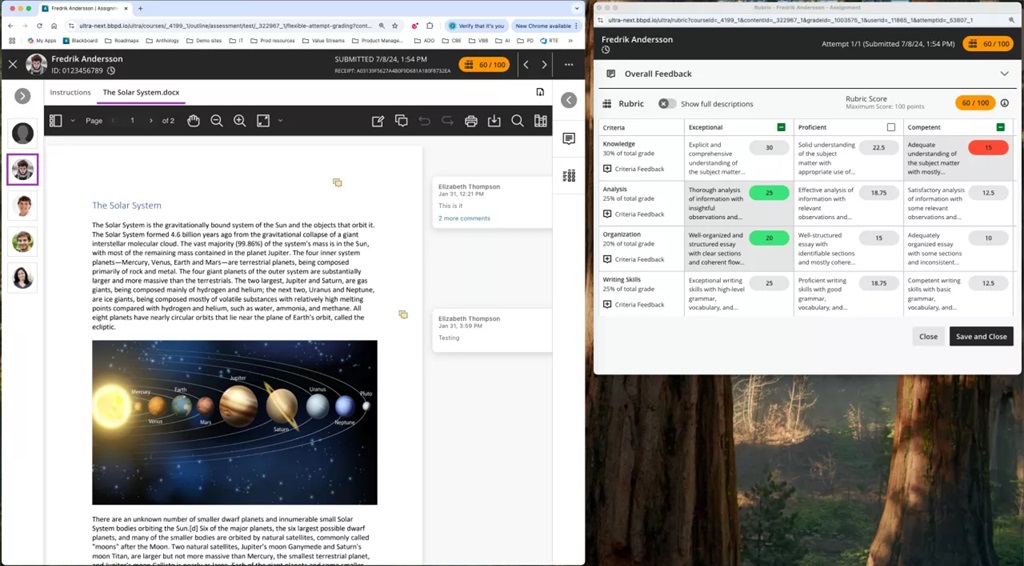
Grading rubrics on Blackboard Assignments can pop out into a separate window as part of the assignment workflow.
Image 1: Instructors can pop out the rubric by selecting the expand icon in the rubric panel.
When the pop-out rubric is open, the ability to add Overall Feedback and grade with the rubric in the main grading interface is inactive. This prevents an instructor from editing the same information in two separate places simultaneously.
We recommend using two screens with this enhancement.
Discussions
Usability improvements for Discussions
Several improvements have been made to Discussions:
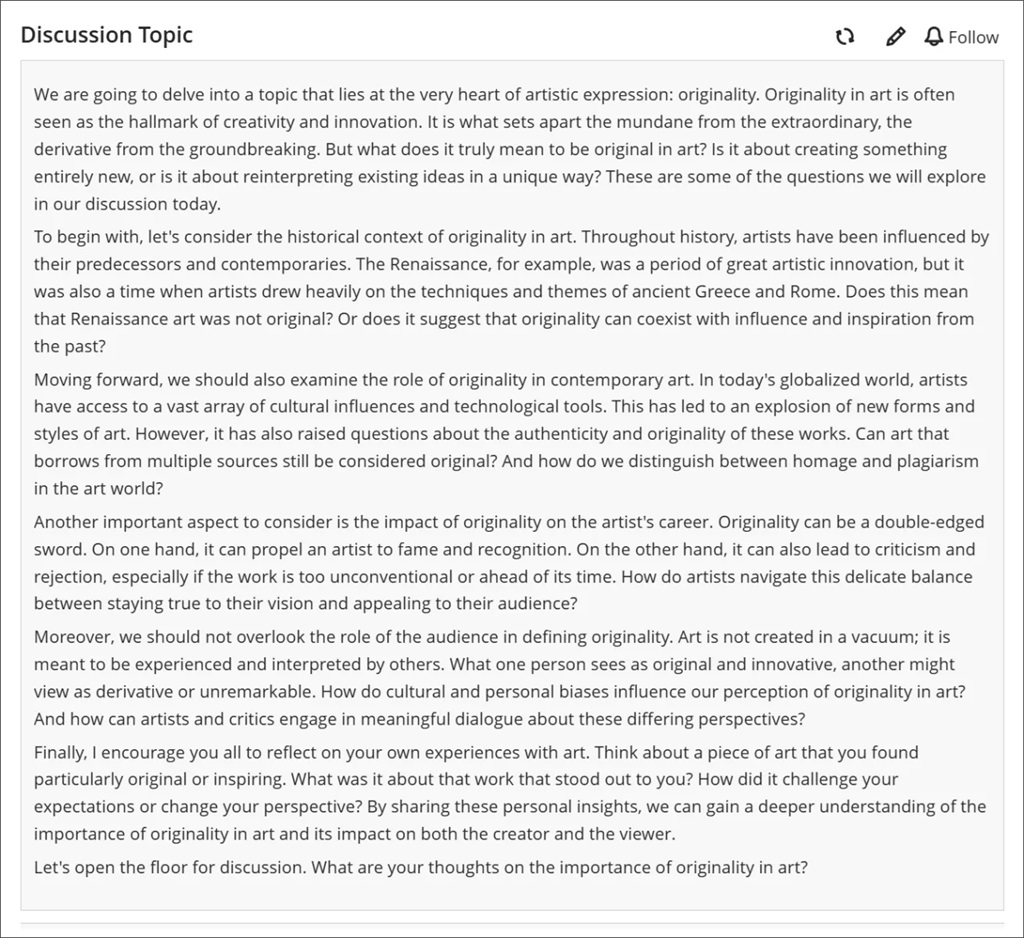
Improved visibility: Posts now have a grey background to stand out better against the page.
Full post display: Long discussion posts are now fully visible without the need for scrolling, enhancing readability.
Image 1. A long discussion post displayed in its entirety with a grey background.
We made several changes to enhance the accessibility of key features on the discussion home page.
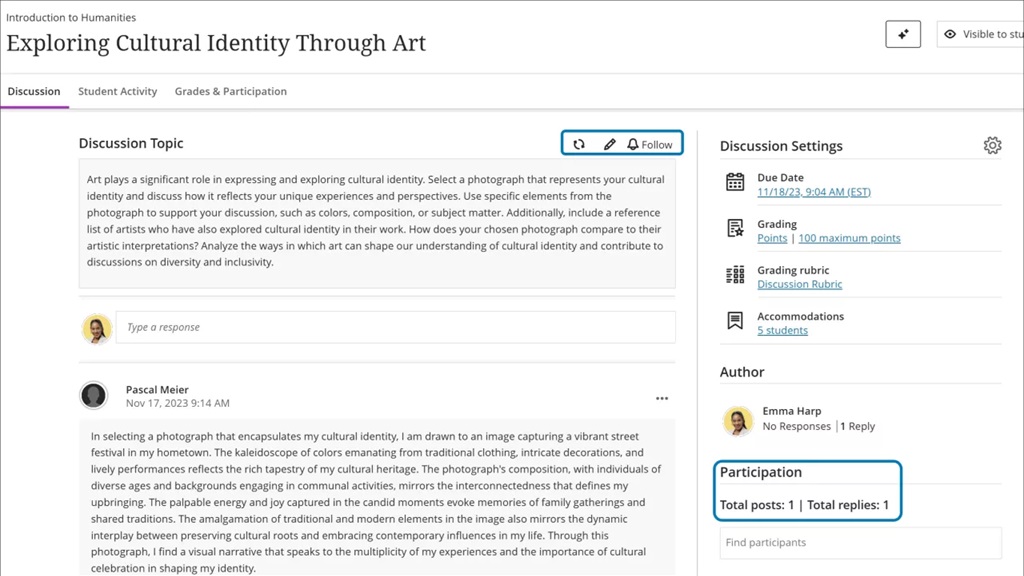
Participation metrics: The number of posts and replies is now listed directly on the discussion home page, replacing the total response counter. This change makes important information more immediately available.
Direct edit option: The Edit button is now directly accessible from the post, saving instructors time.
Image 2. The changes made to the discussion home page included the addition of an Edit button and a count of posts and replies.
Hidden Discussions tab from student course view
The Discussions page will only be available to students if any of the below conditions are met:
Students have permission to create new discussions
The instructor has created a discussion or discussion folder on the course
Anonymous discussions: New privilege to reveal author
System administrators can now reveal the identity of the author of an anonymous discussion post or reply. If you are running an anonymous Discussion and need to de-anonymise a comment, contact elearning@aber.ac.uk outlining the course, discussion, and post, as well as the rationale for requesting it be de-anonymised.
If you have any enhancements to request from Blackboard, please get in touch with us via elearning@aber.ac.uk.
As Ramadan starts, we wanted to highlight a guide for educators that has been led by Oxford Brookes’ Professor Louise Taylor (along with several other collaborators).
During this time, those observing Ramadan, will abstain from food and drink during daylight hours.
The full guide can be accessed and downloaded from this webpage.
The guide outlines the potential impact of Ramadan on students’ learning and offers some adaptions that may want to be considered. Oxford Brookes have produced a 7-minute video of students sharing their experience of Ramadan. The guide draws on surveys from HE professionals to provide an evidence-based approach and offers 6 ways in which we could adopt more inclusive learning:
Acknowledge Ramadan
Avoid assumptions and ask
Adjust assessment timings
Offer asynchronous learning
Raise awareness and celebrate
Be inclusive and make sustainable change
The guide concludes that its key message places importance on initiating discussions with Muslim students.
As a community, we hope to build on this work for next year, using this guidance as a starting point.
We are passionate about inclusive education practices and would love to showcase them at the forthcoming Annual Learning and Teaching Conference. If you adopt inclusive practices in your teaching, then do consider submitting a proposal for the conference.
Since September 2024, Information Services (IS) have been running a pilot of Blackboard Assignment and SafeAssign to evaluate the use of SafeAssign. This is part of our commitment to making sure that we are using the best tools available. The purpose of this blogpost is to summarise the outcomes of our pilot.
18 staff volunteered to use Blackboard Assignment for submission and marking, and SafeAssign for text-matching. These staff were based in seven different departments and taught a range of UG and PG modules. All staff were offered training and provided with written guidance on using both Blackboard Assignment and SafeAssign. The training sessions provided an opportunity for staff to discuss different assessment scenarios with E-learning staff and to ascertain the suitability for Blackboard Assignment and SafeAssign. We also sent out surveys to staff on their use of e-marking and feedback tools.
A big thanks to all the staff and students involved in the pilot and all those who completed the surveys.
Outcome
AU will continue to use our current suite of e-assessment tools:
Turnitin
Blackboard Assignment
Blackboard Tests
Assessed Blackboard Tools
The pilot allowed us to reflect on the requirements for an e-assessment solution. It was clear from this that we need a combination of different solutions for different assessment requirements.
We would recommend Blackboard Assignment be used for:
Multi-part assignments
A Welsh language interface for marking and submission
Panopto submissions
One of the main purposes of the pilot was to investigate the efficacy of SafeAssign and its functionality as a text matching solution. Over the next few months, with input from stakeholders, we will decide whether we leave SafeAssign switched on and we’ll communicate this decision after Easter.
Survey Results
As well as taking part in training, staff in the pilot were asked to complete a survey before and after using Blackboard Assignment and SafeAssign. The first survey was about their use of Turnitin, and the second one was about their experiences of using Assignment and SafeAssign.
We also sent out the first survey to all staff asking for their feedback on Turnitin, and use of Turnitin tools that have no equivalent in SafeAssign. This survey was designed to help us understand whether any of the features in Turnitin are essential to the AU marking and feedback process. Overall, 71 staff took part in these first surveys.
Some of the most frequently used and important features in Turnitin are not currently available in Blackboard and SafeAssign. Two of these were ranked as regularly used:
Timed and automatic release of marks and feedback (78% of respondents)
Seeing whether students have viewed marks (60% of respondents)
Three features ranked as essential from an e-assessment solution:
Timed release of marks (66% of respondents)
Submitting on behalf of students (51% of respondents)
Revealing individual names whilst marking anonymously (51% of respondents)
The key finding from the survey was that timed release of marks is considered both important and used frequently by staff, making it an essential requirement for any AU marking and feedback system.
The second survey was sent to just the pilot group and asked them about their use of the tools in Blackboard Assignment and SafeAssign, as well as their recommendations for changing submission and marking tools. 6 staff responded to this survey. They generally found it easy to use Blackboard and SafeAssign and didn’t report many problems for either them or their students. However, they highlighted limitations in functionality, which meant that some of the pilot group didn’t end up using Blackboard and SafeAssign at all:
Issues navigating the marking interface
File size upload limit (SafeAssign will only check files less than 10Mb)
Lack of automated marks release
Anthology Ideas Exchange
Anthology Ideas Exchange allows all Blackboard institutions to request and vote on functionality enhancements to the product. As a result of training sessions and staff feedback, we made 21 suggestions via the Anthology Ideas Exchange. These were a mix of Turnitin functionality that doesn’t have an equivalent in SafeAssign, as well as changes to existing SafeAssign functionality. Some examples include:
If you have suggestions or changes for any part of Blackboard on that you would like us to add to the Ideas Exchange, please email elearning@aber.ac.uk. You may also be interested in the new section in our monthly update blog which highlights any Ideas Exchange ideas that we have added or voted for which have been added to Blackboard.