
In the November update, we want to draw your attention to the following Blackboard enhancements:
- Expand group management search capabilities
- November improvements to the beta Content Editor in Blackboard Documents
- Print and download rubrics
Expand group management search capabilities
Managing large group sets in Blackboard is now much easier. Instructors can search for students whether they have already been assigned to a group or are still unassigned. Previously, once everyone had been allocated, the search feature became far less useful, making it difficult to locate individual students in large classes.
The updated search now looks across both students and groups. Instructors can quickly find a student, see whether they are assigned to a group, and move them if required. Students who are not yet assigned can also be located and added to a group directly from the search results.
Image 1: Instructors can now search for assigned students as well as unassigned students.
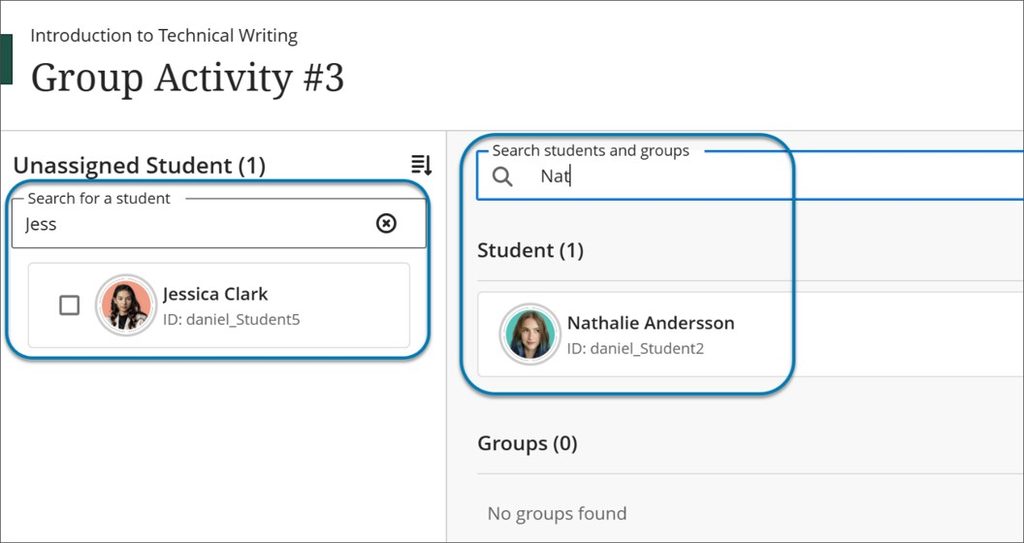
Image 2: Searches can return both students and groups.
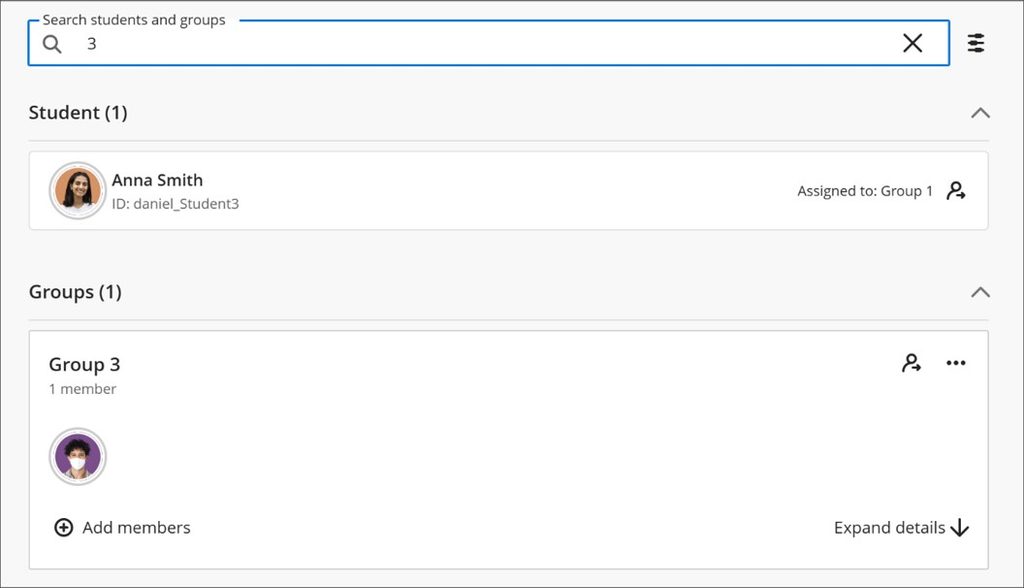
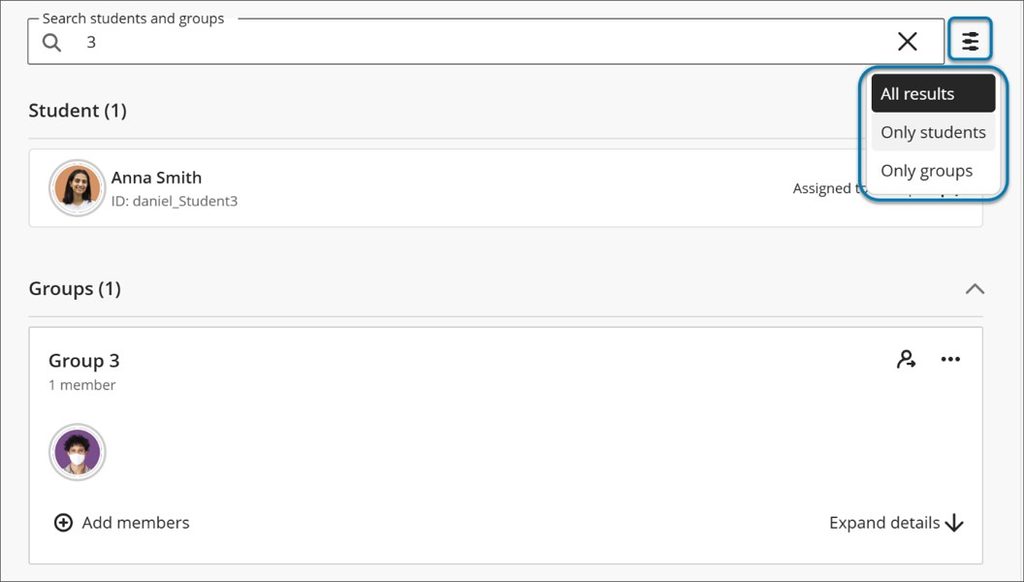
Image 3: Filters allow results to be narrowed to students or groups.
Searches continue to match against first name, last name and student ID. Overall, the enhancement makes it much faster to organise, review and reassign students, particularly in large modules with many groups and participants.
November improvements to the beta Content Editor in Blackboard Documents
The beta Content Editor has received a range of updates focused on accessibility, consistency and ease of use. The goal is to make creating and editing content more intuitive while giving instructors quicker access to the tools they use most often.
Accessibility
Accessibility improvements include a new skip-navigation link for keyboard users and improved contrast for disabled toolbar buttons, helping users identify available actions more easily.
Toolbar and Menu Updates
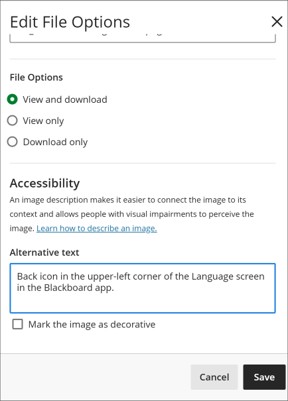
Several toolbar enhancements have also been introduced. When uploading an image, instructors can now review file properties immediately, including alternative text and display settings, before inserting the image. Files stored in the Blackboard Content Collection can also be accessed directly from within the editor, reducing the need to switch between screens.
Image 1: File properties are now available during image uploads.
Maths Authoring
Maths authoring has also been improved with support for LaTeX begin/end environments. This builds on earlier MathJax and LaTeX rendering features and provides more flexibility when creating mathematical content.
Print and download rubrics
Note: This section relates to rubrics for Blackboard assignments and tests, not Turnitin.
Instructors can now print both blank and completed rubrics or save them as PDFs using their browser print options. This supports offline marking, sharing feedback and maintaining records for quality assurance, accreditation and course review activities.
Blank rubrics can be printed directly from the Course Rubrics page using the Print option or the print icon within a rubric. The resulting version displays criteria and performance levels without scores and can be printed or saved as a PDF.
Image 1: The Print option is available from the rubric menu.
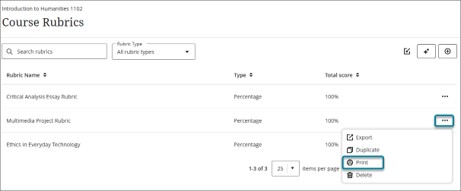
Image 2: Scored rubrics for assignments and tests can be printed.
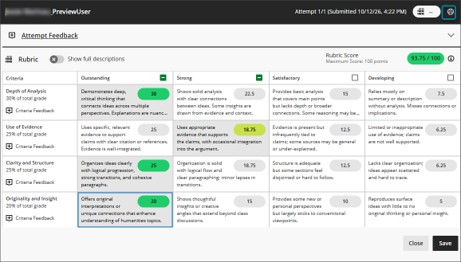
Image 3: Journals and discussions also support printing graded rubrics.
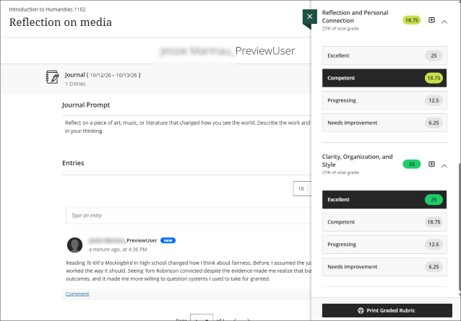
For assignments and tests, the print option becomes available after at least one rubric criterion has been scored. The same approach is used for journals and discussions, where a Print Graded Rubric button appears once marking has started. In all cases, instructors can produce a hard copy or save a PDF version for future reference.