
Our most frequently asked questions from October 2026:
– Panopto offline uploads and other general Panopto advice
– Adding / removing Staff from modules
– Generative AI assessment good practice event information

Our most frequently asked questions from October 2026:
– Panopto offline uploads and other general Panopto advice
– Adding / removing Staff from modules
– Generative AI assessment good practice event information
You can merge modules using the Blackboard Ultra Module Partner tool accessible through myadmin.aber.ac.uk. -> Blackboard Ultra Module Partner.
The Blackboard Ultra Module Partner tool allows you to share the same content across multiple modules by assigning one module as the Primary module and linking one or more modules as a Secondary module.
There is no limit to the number of secondary modules that can be linked, but there can only be one primary module.
Merging modules automatically makes content from the primary module available in all linked secondary modules. This means that you won’t need to upload the same materials to multiple modules. Alternatively, you can email elearning@aber.ac.uk.
An in-depth guide for the Blackboard partner tool can be found by following the link below which will take you to our FAQs:
How do I merge modules in Blackboard (staff)?
Merging modules allows module coordinators to link the same content between two or more modules in Blackboard. This is useful for modules that share the same materials, some examples where this could be useful include:
Modules can be unmerged by clicking the pencil icon in the Primary Course ID section and then Click Delete -> Delete
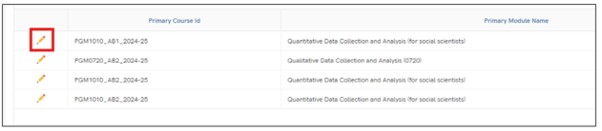
When modules are unlinked, previous submissions, marks etc are retained for students on the module. They will be hidden from staff (to avoid confusion), but if you need to view them contact elearning@aber.ac.uk for advice
All content is automatically visible once modules are merged. Groups and adaptive release can be used if you only want the content to be visible to a specific module cohort.
This may be useful if you have merged a 2nd year and 3rd year module but your students on the different modules have separate assignments. You can use one group for 2nd year students and one for 3rd year students. You can also limit who can see the assignment information and submission point.
See official guidance from the Blackboard help centre on Creating Groups and Release Conditions.
After merging, all students will be visible within the primary module’s gradebook. You can, however, view the primary and secondary modules gradebooks separately using the Merged Modules filter found within the primary module’s gradebook.
If you’d like further information on merging modules or have any questions, please email us at elearning@aber.ac.uk.
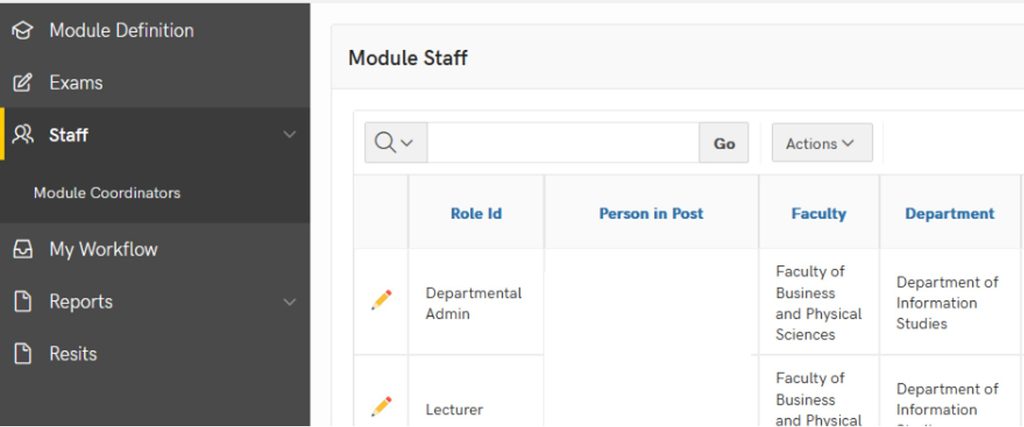
The staff section will show you what staff have access to and what they have updated
Individual staff can be added too:
The role with the highest level of permission will take priority for, example instructor over grader
How do staff roles appear in the Module Management System and Blackboard?
| Module Management | Blackboard |
| Lecturer | Instructor |
| Tutor | Instructor |
| Assistant | Teaching Assistant |
| Grader | Grader |
| Builder | Course Builder |
| Departmental Administrator | Facilitator |
| Subject Librarian | Course Builder |
| Course Viewer | Viewer |
| External Examiner | Facilitator |
See official guidance from the Blackboard help centre on permissions for each role.
Feel free to also contact elearning@aber.ac.uk.
If changes have not appeared after one hour, please contact elearning@aber.ac.uk.
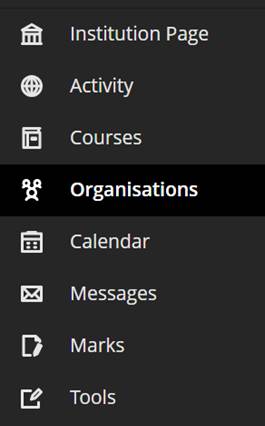
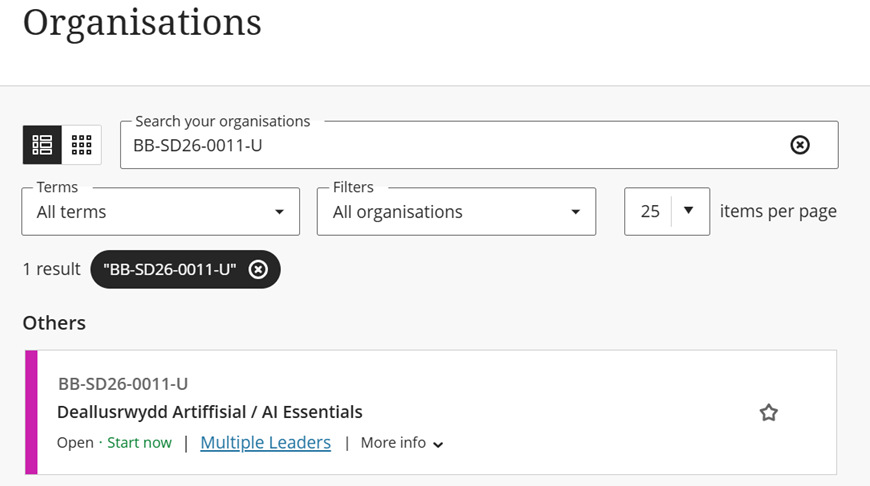
You can create a link to the Panopto folder in your Blackboard course. This means that students will be able to see the recordings for the course all in one place.
Panopto folders for all 2026-27 modules can be found within the 2026-27 folder.
To find the Panopto folder you want to record into:
You can also search for the Panopto folder you want to record into:
In a small number of courses, the Panopto folder wasn’t created over the summer. If you can’t find your Panopto folder using the steps above, you can create a folder from Blackboard:
You should then be able to find the Panopto folder to make a recording.
If you have any questions, please contact the Digital Education Team on elearning@aber.ac.uk.
Hello! My name is Luke and I have recently joined the Digital Education Team as a Digital Education Officer. I’m excited to assist staff and students with digital education queries, ensure that information is clear, and contribute to the wider team!
A little bit of my background- I came to Aberystwyth in 2022 to peruse a BA in Filmmaking at the university, where I specialised in practical and theoretical skills in cinematography and editing with a focus on creating period pieces. I have always been interested in the work and effort that goes into bringing film and television to life. My end of year project was a film set in the 1960s and focused on the ‘battle of the bands’ between a record label who lost their number one spot to a newly famous band! I also have a background in graphic design.
I have recently completed a masters in Behavioural Science here at Aberystwyth University where many of my projects focused on developing interventions for positive health-related behaviours and improving engagement within police, leisure and teaching settings. My master’s dissertation focused on current interest and attitudes toward emerging novel contraceptive health methods designed for men, which involved working with potential users to investigate which behaviour change informed messages where most appropriate for future advertisements and interventions to support shared responsibility.
Before my role within the Digital Education Team, I worked as a lifeguard and swimming teacher for 8 years at the sports centre here at Aberystwyth University and a leisure centre where I grew up. I taught children from the age of three to sixteen as well as adults and volunteered as an assistant coach competitive swimming club. This was a club that I was part of from the age of 6 and later re-joined as a master’s swimmer.
I have a keen interest in swimming and have more recently moved to open water swimming with hopes to enter some open water swimming races and hopefully have a go at a triathlon soon! Outside of work I enjoy motorsport and nature photography, finding nice walks and hikes with my partner, camping, and anything to do with the outdoors.
A big thank you to everyone I have met so far for the warm welcome! I’m looking forward to meeting and working with members of staff and students across the coming months.