Weekly Resource Roundup – 1/5/2025

As leader of our PGCTHE programme, I keep an eye out for resources to help staff teach effectively. These include webinars, podcasts, online toolkits, publications and more. Topics include active learning, online/blended teaching, accessibility/inclusion, and effective learning design based on cognitive science. Below I’ve listed items that came to my attention in the past week. In the interest of clarity, our policy is to show the titles and descriptions in the language of delivery. 

Online events and webinars

May

June

July

Resources and publications

Other

  • Call for proposals (open dates) Unfiltered by EmpowerED: A Podcast Series where educators share unedited stories of inspiration and challenge
  • Call for proposals (open dates) Future Teacher Webinars
  • Monthly series European Network for Academic Integrity, ENAI monthly webinars free open webinars on various topics related to academic integrity.

Please see the Staff Training booking page for training offered by the LTEU and other Aberystwyth University staff. I hope you find this weekly resource roundup useful. If you have questions or suggestions, please contact our team at lteu@aber.ac.uk. Social media: X.com, BSky.

External Speaker Announcement: Annual Learning and Teaching Conference: Higher Education Partners

We’re delighted to be joined by colleagues from Higher Education Partners (HEP) on the final day of our conference (10 July).

Kate Lindsay from HEP will be presenting and leading a roundtable as part of the conference. Kate is currently SVP of Academic Services at HigherEd Partners, working with UK Universities to grow their capacity and capability in the the design of high quality online learning experiences.

Previously, Kate worked at the University College of Estate Management as Head of Digital Education, leading the transformation of fully-online programmes. Before that Kate was the Head of Technology Enhanced Learning / Director of Academic Services at the University of Oxford. Kate has experience working on teaching, learning and assessment strategy, digital education strategy, learning design consultancy, staff digital fluencies, curriculum design, and IT innovation programmes.

 The University has partnered with HEP on the new online learning project as part of the invest to grow strand.

We’ll also be joined by colleagues in academic departments who are working with HEP for the first cohort of courses.

We’ll be announcing our full programme in due course but colleagues can book onto the conference. See our previous blogposts for our external speakers: Neil Currant and the University of Exeter.

What’s new in Blackboard May 2025

In the May update, we are particularly excited about auto-generate AI Conversations with the AI Design Assistant, Qualitative Rubrics, and Enhancements to Gradebook and Tests.

New: Auto-generate AI Conversations with the AI Design Assistant

Back in November we launched AI Conversations.

The AI Design Assistant can now auto-generate AI Conversations. AI Conversations are conversations between students and an AI persona.

  • Socratic Questioning: Conversations that encourage students to think critically through continuous questioning.
  • Role-play: Conversations that allow students to play out scenarios with the AI persona, enhancing their learning experience.

Creating personas and topics for an AI Conversation can take a lot of time. To streamline this process, the AI Design Assistant can generate three suggestions at once. You can select what the AI Design Assistant generates. You can choose to generate:

  • AI Conversation title
  • AI persona
  • Reflection question

These suggestions provide inspiration for an AI Conversation. Instructors can refine the AI Design Assistant’s suggestions in several ways:

  • Provide additional context
  • Adjust the complexity of the question
  • Select context from the course
  • Manually revise the question

Image 1. The auto-generate feature is now available in AI Conversations.

Image 2. There are several ways to customise AI Conversations.

We recommend that you look closely at the AI persona to check for any biases that might be there and edit these.

We would love to hear about your use cases of AI Conversations – do let us know via elearning@aber.ac.uk.

New: Qualitative Rubrics

Lecturers can now create and use no-points rubrics for Blackboard Assignments. This rubric type allows instructors to assess student work based on criteria and feedback, rather than numerical values.

Instructors can select No Points as a rubric type when creating or generating a rubric. This option is available alongside existing percentage and points-based rubrics. Instructors can also edit rubrics to switch between different rubric types, including percentage, points range, and no points.

Image 1: No Points option is available in the Rubric Type dropdown.

This feature was requested in our recent Blackboard Assignment (Safe Assign) pilot.

Enhancements to Gradebook and Tests

Accessibility Enhancements to the Gradebook

The Markable Items tab in the Gradebook now features a redesigned interface to improve accessibility and navigation for keyboard-only and screen reader users. This enhancement supports an accessible experience for instructors grading student work, reducing the time and effort required to manage student grades.

With this update, the Gradable Items tab uses a table-based layout to enhance usability:

  • Screen reader users can now hear both header and row announcements, allowing for smoother navigation through student submissions.
  • Keyboard users can now move efficiently across rows or down columns using arrow keys.

Image 1: Gradebook with Markable items tab highlighted

New: Text-based columns in the Gradebook

Instructors can now create custom text-based columns in the Gradebook, giving them the ability to record information for an assessment, such as performance code, group membership, and tutoring information.

These columns allow instructors to record up to 32 characters. The column is not restricted to text input.

Colleague might want to use this to record dissertation supervision teams or markers.

Instructors can:

  • Create text-based columns via the Add workflow in both the grid view and Gradable Items page;
  • Name the column, control student visibility, and add a description;
  • Add and edit text information for a specific student using an inline eidt workflow.

Text-based columns exclude the following:

  • Points values (automatically set to 0 points)
  • Due dates
  • Categories
  • Gradebook calculations and related calculation UIs

Content in text-based columns auto-posts and supports sorting functionality within the Gradebook grid view. Instructors can also download and upload text-based columns using the Gradebook’s upload/download function.

Image 1: Instructors can select Add Text Item to create a text-based column.

Image 2: Instructors can enter column name, set visibility for students, and enter a description for the text-based column.

Students can access text-based columns and associated information in their Gradebook when the column is set to Visible to students.

New test setting: View submission one time

There is a new test result setting option, View submission one time.

When a student completes the test, they can review their answers and detailed feedback, such as which questions were answered correctly.

Image 1: Allow students to view their submission one time highlighted:

Instructors

To access this setting option, select Available after submission in the Assessment results section of the Assessment Settings, then select View submission one time from the Customise when the submission content is visible to students dropdown. This dropdown is available only if Allow students to view their submission is selected.

Note that this setting does not alter the recommended settings for online exams.

Ideas Exchange:

This section aims to keep you updated on progress of enhancements requested on the Blackboard Ideas Exchange.

We are pleased to see the Qualitative Rubric included in this month’s release as this is a feature that was requested as part of the SafeAssign pilot.

If you have any enhancements to request from Blackboard, please get in touch with us via elearning@aber.ac.uk.

Resuming Panopto Recordings

Have you ever pressed stop on a Panopto recording rather than pause? Or realised there was something you forget to say in your recording?

Did you know you can resume any finished Panopto recording, and add more to it? You can do this from any computer that has the Panopto recorder on it – it doesn’t have to be the machine you used to create the original recording.

And it’s very easy to do:

  1. Go to Panopto and find your recording
  2. Click on the three dots (More Actions) on the recording preview
  3. Select Resume > Resume in Panopto for Windows
Image of a Panopto recording with the Resume option highlighted

If you want to do this from your office, you will need to install the Panopto recorder on your work computer. Alternatively, you can resume a recording from any teaching machine.

Annual Learning and Teaching Conference: External Speaker Announcement: Professor Lee Elliot Major OBE FAcSS and Beth Brooks

Following the announcement of our conference keynote, we’re pleased to confirm our next external speakers.

On Tuesday 8 July, Professor Lee Elliot Major OBE FAcSS and Beth Brooks from the University of Exeter will be joining us to showcase their pioneering work with social mobility in the South West.

Bookings for the conference are already open and we will be announcing our full line up in due course.

Professor Lee Elliot Major OBE FAcSS is the country’s first Professor of Social Mobility, based at the University of Exeter. As one of the world’s leading social mobility experts, his work is dedicated to improving the prospects of young people from under-resourced backgrounds. Lee was formerly Chief Executive of the Sutton Trust and a trustee of the Education Endowment Foundation. He is focused on the impact of research, working closely with Governments, policy makers as well as schools, universities, and employers across the world, and advocates an ‘equity approach’ in schools based on principles set out in his book Equity in Education.

Beth Brooks is an Executive at the South-West Social Mobility Commission, where she leads on various social mobility projects. Before joining the Commission, Beth worked in Widening Participation at the University of Exeter, and as a secondary school teacher in the South West. She holds a PGCE with distinction from the University of Exeter.

Their University-led Tutoring Service is scalable, sustainable, low-cost tutoring model is a high-quality approach to tutoring with the potential to transform thousands of young lives across the country. Using programmes, undergraduate tutors boost key skills of school pupils, gaining work experience and credits towards their degree, forming invaluable relationships with pupils falling behind in class while considering a career in teaching. Unlike other programmes, it is free for schools. We call it the ‘win win win’ scheme.

For further information, see their website.

Materials available: Mini Conference: Employability and the Inclusive Curriculum

On Tuesday 8 April, we co-hosted our latest Mini Conference with colleagues from Careers and Employability Services. We hosted 50 attendees from across the University and had 5 sessions.

Materials from the conference are now available on our webpages.

The conference started with a welcome from Professor Anwen Jones, Pro Vice Chancellor for Education and Student Experience. Following Anwen’s address, Dr Aranee Manhoaran from Kings College London gave a fantastic keynote. In her keynote, Aranee identified an Employability framework that can be applied to the curriculum. As well as this, strategies were given regarding how to map this framework onto the curriculum to review assessment.

Dr Saffron Passam from Psychology gave a presentation which focused on Equality, Diversity, and Inclusion as an integral employability skill.

Dr Louise Ritchie from Theatre, Film and Television Studies gave an overview of how the Drama and Theatre Curriculum partnered with the Careers and Employability Service to improve visibility and graduate outcomes.

The School of Education’s Annabel Latham outlined innovative assessment design with the Careers and Employability Service. The assessment included workshops, poster creation, and a post assignment discussion.

Finally, Careers and Employability Services’ Bev Herring and Jo Hiatt recapped the morning’s event and ran an interactive presentation for colleagues to reflect on how comfortable they felt integrating employability skills into their curriculum.

A big thank you to our presenters for such engaging sessions and to those who attended.

We’re looking forward to our next Mini Conference. In the meantime, colleagues can book onto the Annual Learning and Teaching Conference which is taking place between 8 and 10 July.

Weekly Resource Roundup – 9/4/2025

Weekly Resource Roundup, Dr Mary Jacob, Lecturer - Learning and Teaching, Aberystwyth University

As leader of our PGCTHE programme, I keep an eye out for resources to help staff teach effectively. These include webinars, podcasts, online toolkits, publications and more. Topics include active learning, online/blended teaching, accessibility/inclusion, and effective learning design based on cognitive science. Below I’ve listed items that came to my attention in the past week. In the interest of clarity, our policy is to show the titles and descriptions in the language of delivery. 

Online events and webinars

April

May

June

July

Resources and publications

Other

  • Call for proposals (open dates) Unfiltered by EmpowerED: A Podcast Series where educators share unedited stories of inspiration and challenge
  • Call for proposals (open dates) Future Teacher Webinars
  • Monthly series European Network for Academic Integrity, ENAI monthly webinars free open webinars on various topics related to academic integrity.

Please see the Staff Training booking page for training offered by the LTEU and other Aberystwyth University staff. I hope you find this weekly resource roundup useful. If you have questions or suggestions, please contact our team at lteu@aber.ac.uk. Social media: X.com, BSky.

Blackboard Course Creation 2025-26

Blackboard Logo

We will be creating the new blank Blackboard courses for 2025-26 on Monday 2nd June 2025.

Once courses have been created, we will run a weekly feed between the Module Management System and Blackboard to reflect any updates or changes. Students won’t come onto courses until registration has been completed in September.

If you want to know more about why we create blank courses at the start of each academic year, do take a look at our blog post on Course Creation from 2024.

What’s new in Blackboard April 2025

In the April update, we are particularly excited about a new feature called the Learning Object Repository. There is now the ability to print Blackboard Documents, and updates to the grading and feedback workflow for staff and students.

New: Learning Object Repository

The new Learning Object Repository is an institutional repository designed to centralise resources across courses and organisations.

We can upload items to the Learning Object Repository for instructors to copy into their courses. Note that items copied into courses cannot be edited.

This feature is available for Blackboard Documents at this stage but there are plans to develop options to include files in the future. We have also requested a folder level structure be developed so that we can organise content items for instructors to find.

Over the next couple of months, we will be working on developing the process for colleagues to request for items to be added to the Learning Object Repository. We aim to have this in place ready for your 2025-26 courses.

Some initial ideas from us include links to generic skills resources, generative AI policies, and optional health and safety statements.

If you have any ideas about how we might use the Learning Object Repository, please contact elearning@aber.ac.uk.

Content Designer: Print Document

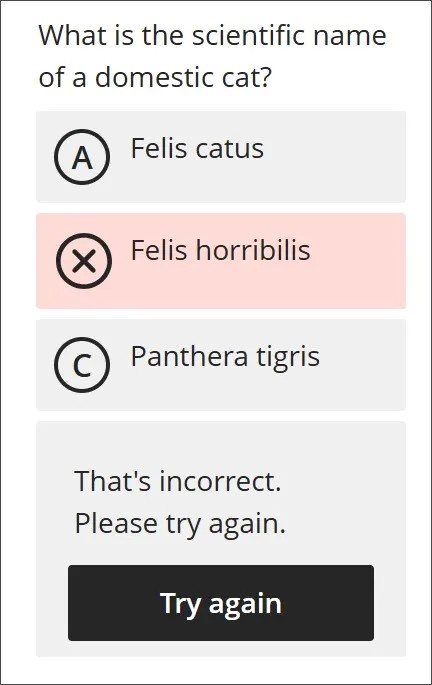
We have seen some significant changes to the Documents feature in Blackboard over the past 6 months. Now colleagues and students can print these Documents or save to PDF so that they can review content offline.

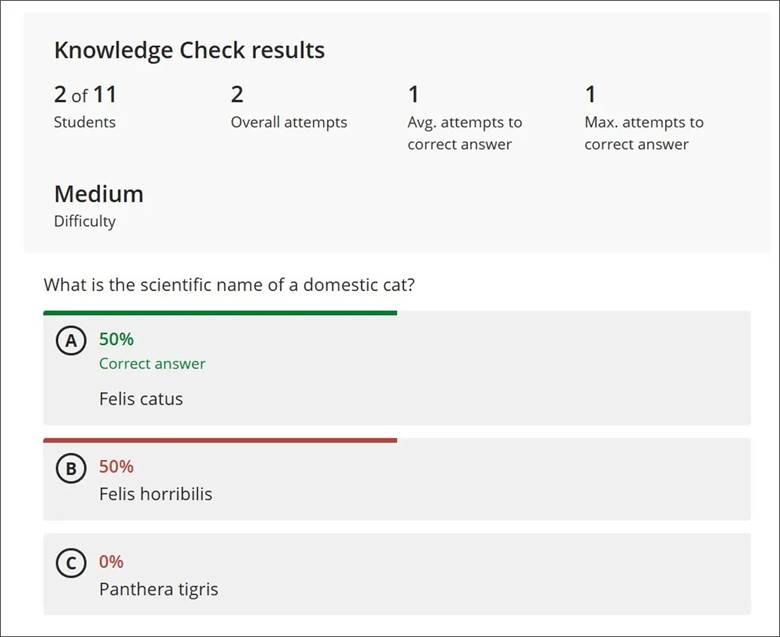
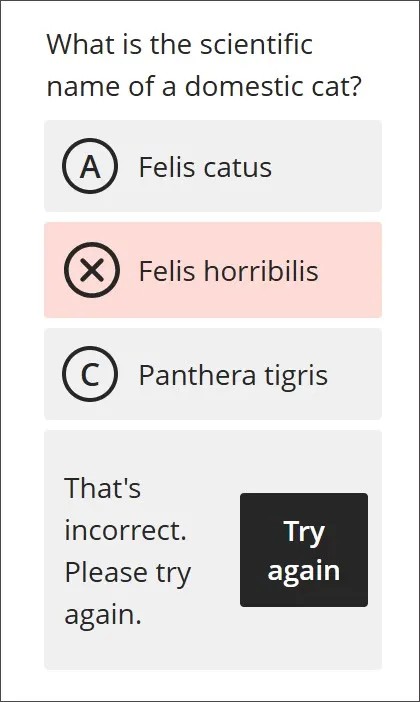
The print function retains the Document layout. Note that for instructors, knowledge check blocks print with all the question and answer options. All other blocks print as displayed outside of editing mode.

Image 1. The new Print button for Documents is now available for students.

Grading and Feedback

There are some minor enhancements to Grading and Feedback this month.

Indicator to see if a student has reviewed their feedback

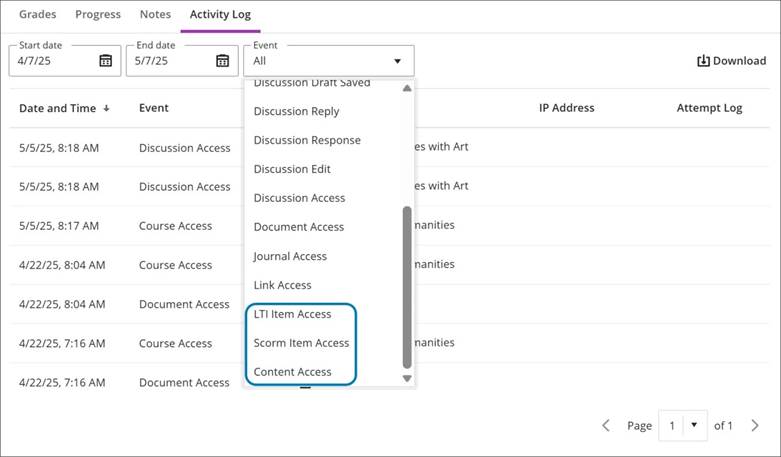
In the Gradebook, instructors now have enhanced ability to monitor student engagement with assessment feedback. An indicator on the individual student’s Overview page now displays whether a student has reviewed the feedback for a given assessment.

When a grade is posted, the indicator includes a label of Not reviewed with the existing Completed label in the Status column. When the student reviews the feedback, the status updates to Reviewed with a review timestamp.

If the new grade indicator is reset for the assessment, such as when a grade is updated or if the assessment has multiple attempts, the timestamp updates when the student reviews the feedback again. If all attempts are deleted, the Not reviewed or Reviewed label is removed.

Image 1: Instructor Gradebook view has Reviewed and Not Reviewed labels in the Status column.

To see whether a student has viewed their feedback:

  1. Navigate to the Course
  2. Select View everyone on your course and search for the individual student
  3. Under the Mark screen you will see whether the student has reviewed their feedback

Enhanced grading experience for group submissions

Blackboard Assignment can manage group submissions where a student in a group submits a file, and marks and feedback can be allocated for all students.

In this month’s update the grading interface for group submissions has been updated to match that of individual submissions.

Replace Feedback column with actionable Results column in student Gradebook

The students’ Gradebook has changed to include:

  • A new Results column replaces the Feedback column
  • A View button in the new Results column replaces the Feedback column’s purple feedback icon

When a grade is posted and the new grade indicator (purple circle) is turned on, the View button displays for the assessment.

When students select the View button, the new grade indicator turns off, and students are redirected to their submission. If no submission is made, the side panels with feedback opens. The View button remains unless the instructor deletes the graded submission and all attempts.

Image 1: Previous view of the student Gradebook included Feedback column with feedback icon and new grade indicator when feedback is available for review.

Image 2: New view of the student Gradebook includes an actionable Results column, with the new grade indicator turning off after the student views the feedback.

Ideas Exchange:

This section aims to keep you updated on progress of enhancements requested on the Blackboard Ideas Exchange.

We are pleased to see the Feedback Indicator included in this month’s release. This is a feature that we requested and was important in our recent SafeAssign Pilot survey.

Greek has also been added as an output language for the AI Design Assistant. This was requested by a colleague in Lifelong Learning.

If you have any enhancements to request from Blackboard, please get in touch with us via elearning@aber.ac.uk.

Changes to Blackboard Course Roles 

Over the next few months, we are making the following changes to the course roles in Blackboard.   

Additional Lecturer and Additional Tutor will no longer be available

(from June 2025). 

Teaching staff should be added using the most appropriate role via Module Management (which will feed directly to Blackboard within an hour). Anyone with Additional Lecturer or Additional Tutor in previous years’ courses will keep their access but the roles won’t be available for new enrolments. 

Departmental Administrators and External Examiners will be added to courses with the role of Facilitator  

(from June 2025).  

This will give the same access as before but will help us to make sure that students don’t see these colleagues as teaching members of staff. This should cut down on the possibility of students incorrectly contacting administrators and External Examiners. Note that both External Examiners and Department Administrators will be listed as Facilitators in the Course Register. You will be able to tell which is which because External Examiners don’t have an AU email address (@aber.ac.uk).  

Some surplus roles have been removed

(from March 2025).  

These were mainly roles created for system test purposes. However, if anyone was added with one of the deleted roles, they have been changed to Student. Any queries about enrolments should be sent to elearning@aber.ac.uk.   

Staff with any role must be added to a course via Module Management 

Any staff added manually will be removed from the course on the following Monday night. Student enrolments must be managed via the Student Record. New course enrolments are added within an hour of the change, and students are removed from old course enrolments on the following Monday night. 


You shouldn’t notice too many differences, but it will improve some technical aspects of staff and student access to Blackboard courses.  

These changes to course roles are designed to remove all course roles that have been created in-house at AU. This is because they don’t update as part of the Blackboard monthly updates. This means that course roles may not have the permission to use new tools or an up-to-date Welsh interface. Changing to using just the in-built Blackboard roles should improve access and bilingualism, as well as be more efficient.  The only exception to this is the AU-created Course Viewer role which will remain. We have voted for the Blackboard Ideas Exchange entry for a built-in Course Viewer role, and we will make use of it if it is introduced.  

Following our retention schedule, the removed roles will be finally deleted in 2030 when the last of the courses using them are removed from Blackboard.