What’s new in Blackboard January 2026

Happy New Year! In the January update, we want to draw your attention to the following Blackboard enhancements:

  • Minor Update to the Blackboard Interface
  • Improvements to Document’s layouts
  • More options for true and false questions
  • Changes to multiple choice and multiple answer workflows

Minor Update to the Blackboard Interface

There is no downtime associated with this update, and Blackboard will continue to function normally during this period.

These changes include:

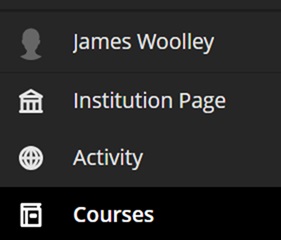
  • Change in order of menu items on the main navigation menu:
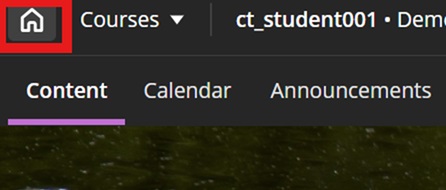
  • A new home button in a course to take you back to the landing page:
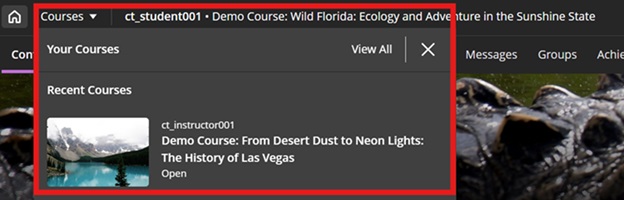
  • A quick link to navigate to your recently accessed courses
In addition to this, to maximise screen space, Blackboard will remove the nested folder view.

Improvements to Document’s layouts

To improve usability and accessibility, we restructured the menu for document block layout. Previously, all options for changing the row, size, or position of a block were in a single dropdown list. Now, these options are organized by type of change (row, size, and position).

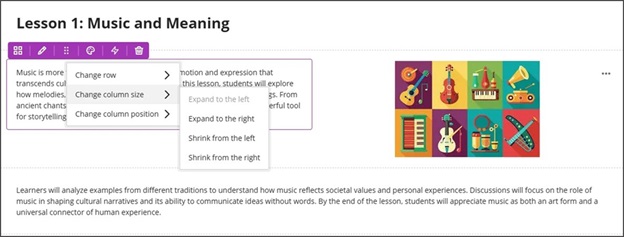
Selecting the edit icon for a block prompts a menu with three options: Change row, Change [block/column] size, and Change [block/column] position. Each of these options have a sub-menu, with the related actions.

  • Change row
    • Move to row above
    • Move to row below
    • New row above
  • Change [block/column] size
    • Expand to the left
    • Expand to the right
    • Shrink from the left
    • Shrink from the right
  • Change [block/column] position
    • Move to the left
    • Move to the right

Image 1: How document block styling options displayed before
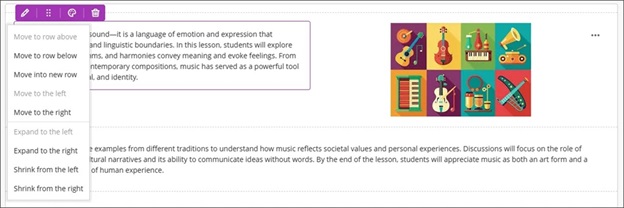
Image 2: How document block styling options display now
More options for true and false questions

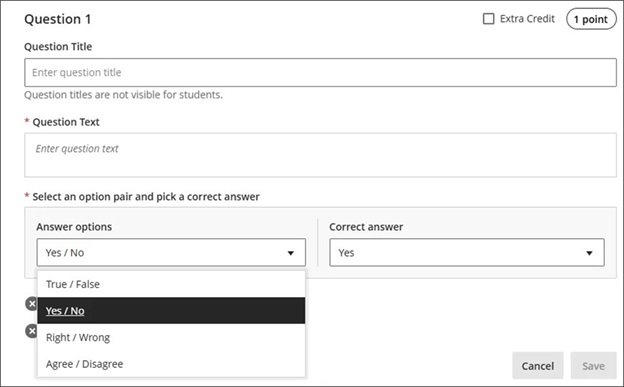
We expanded the display options for true/false questions to include:

  • True/False
  • Yes/No
  • Right/Wrong
  • Agree/Disagree

These additional answer options display when:

  • Instructors create or edit this question type when building a test or in a question bank
  • Students answer the question
  • Instructors grade the question
  • Students review their submission or graded question

Image 1: True/false questions now include additional options.
Changes to multiple choice and multiple answer workflows

 ow students interact with questions. These changes support greater flexibility in assessment design and an improved experience for students.

Instructors

To reduce setup time when creating a multiple choice question, we changed the default number of answer options from three to four. Instructors can add or remove answer options.

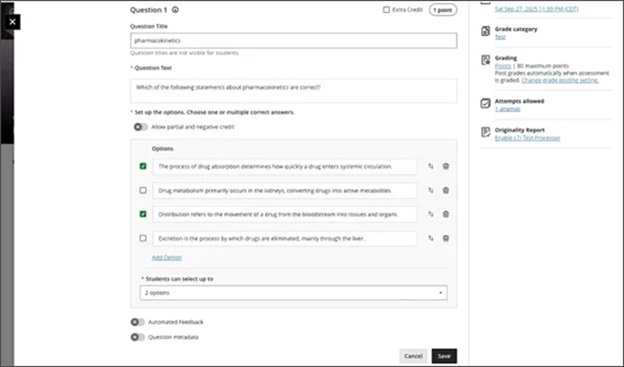
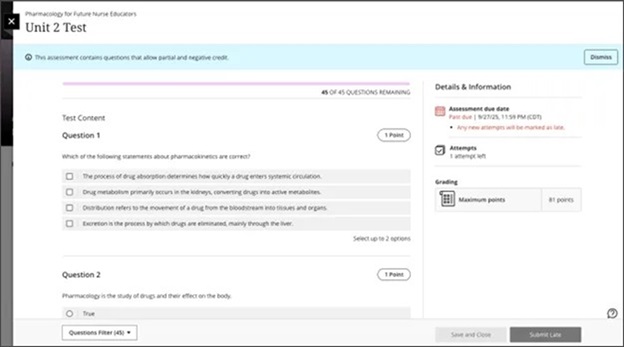
Instructors can now define the number of answer selections that a student can make for each multiple choice question. When the student takes the assessment, the system enforces the instructor’s selection limit.

The default is:

  • 4 answer options
  • partial/negative credit is off (no additional changes made to partial/negative credit for this release)
  • students can select up to 4 answers
    • if additional answers are added, selection limit remains at 4
    • if answers are removed, instructor must select the selection limit

Image 1: Instructors can define the number of answer selections for each multiple choice question.
Students

For questions where students can select only one answer, the selection mechanism is radio buttons. For questions where students can select more than one answer, the selection mechanism is checkboxes.

Image 2: The student’s selection mechanism of checkbox or radio button is determined by how many answers they can select.
If you have any enhancements to request from Blackboard, please get in touch with us via elearning@aber.ac.uk.

Measuring Course Engagement with Blackboard Tools

Inclusivity and Accessibility banner

Now that semester 1 teaching has finished and we are moving towards the assessment period, we wanted to write a blogpost to highlight the analytical reports that are available in Blackboard.

These reports can be used to monitor Blackboard usage and engagement and help you to re-enforce messages to students.

Progress Summary

By default, the student progress summary is enabled on all content items in Blackboard courses.

This allows Blackboard to record when content has been opened, and students are able to mark tasks as complete.

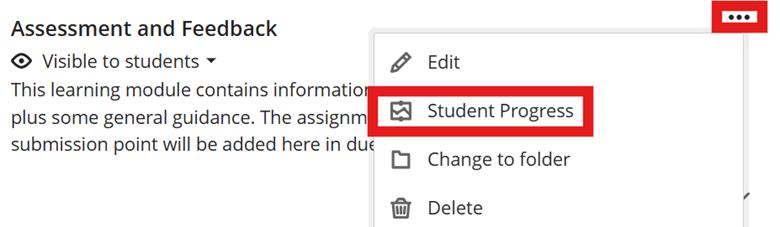
To access the report, click on the … to the right of the content item and select Student Progress:

Image showing student progress for content.

There you’ll see the progress report:

Image showing Progress Summary page.

From this page, you can also filter students by those who have unopened the content, those who have started it, and those who have marked it as complete.

If you apply a filter, you can message the highlighted students using the message button.

Test question analysis

Using Blackboard tests? You can run a report to analyse the questions with:

  • Average score
  • Possible questions
  • Completed attempts
  • Average time spent on the course

In addition to this, it also allows you to re-examine questions with the Discrimination report. This indicates how well questions differentiate between students across all levels.

The difficulty report indicates which questions are easy, medium and hard.

To view the report (once the test has ended), navigate to the test and select Question Analysis:

Image showing Question Analysis menu item.

The report will run and you will receive an email once it has completed:

image showing test question analysis

Discussion analysis

Making use of Discussions in your Blackboard course? Then you can run a report for the overview which will give you the total number of active students, the average number of posts per students, as well as the average wordcount for blogposts.

You can click on Student Activity for the overview:

Image showing student activity overview

You can use the message feature to contact students who haven’t engaged, as well as see the top participants, and the responses with the most replies.

Course Analytics

The Course Analytics page allows you to flag alert settings for students based on the amount of time spent in the course and the dates since their last access.

Choose Analytics from the top menu:

image showing the top menu of the course with Analytics highlighted.

You have two views:

  • Student hours in the course against their overall mark
Image showing student hours in the course against their overall grade
  • Student list view showing overall mark against missed due dates, hours in course, and days since last access

For further information on using the Analytics feature, see Blackboard Help: https://help.blackboard.com/Learn/Instructor/Ultra/Performance/Course_Reports/Course_Activity_Related_to_Grades

If you are interested in looking in more detail at course analytics, we are holding an online training session on Monday 9 February between 15:10-16:00. You can book your place online via the training booking page.

Generative AI Mini Conference: Materials Available

Happy New Year!

Just before the Christmas vacation period, we hosted our final event of the year: a mini conference on Generative AI.

The materials from this Mini Conference are now available on our webpages.

Thank you very much to our presenters from the Departments of Computer Science, Geography and Earth Sciences, and the School of Literature and Languages.  

And a special thank you to our external speakers: James Fern and Richard Mason from Bath University who gave us a brilliant overview of the two-lane approach to assessment design that Bath is currently working through.

We look forward to welcoming you to one of our upcoming events.