
Vevox, our polling tool, has had its latest feature release.
Please see below for new and enhanced features that are now available in Vevox.
Help using Vevox can be found on our webpages.
If you have any questions, please contact the Digital Education Team (elearning@aber.ac.uk).
New question type: Matching question
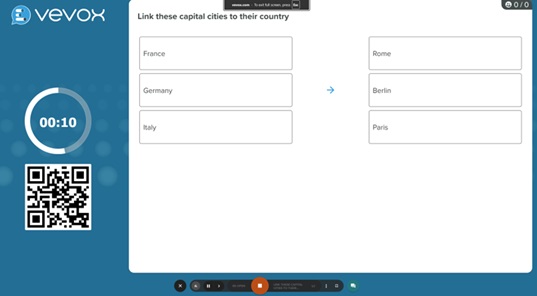
There is a new question type available in Vevox: matching question.
This allows for your participants to match ideas together.
See Vevox guidance for further information: Matching polls – Vevox helpsite
New feature: Create quick polls from present view
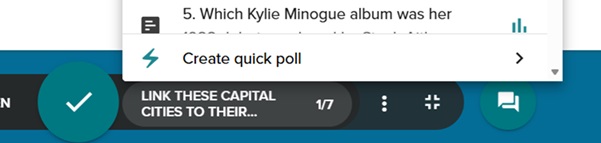
There is now the capability to insert quick polls during your present view. To do this, click on the question in the present view and select create quick poll:
See Vevox guidance for further information: Use Quick Polls (adhoc polls) – Vevox helpsite
Presentation content: Timer display
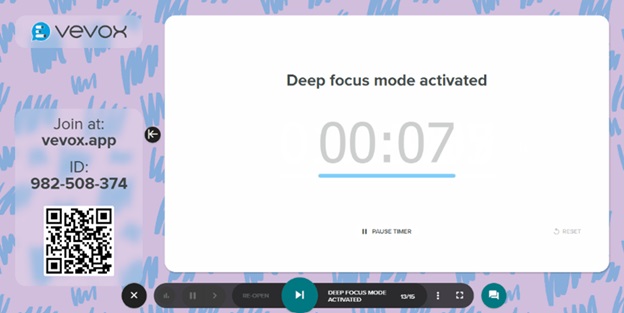
The timer display gives you the functionality to present a countdown timer in presenter view.
This is great to help with the pacing of your session.
See Vevox guidance for how to add a timer to your session: Timer display – Vevox helpsite]
AI Quiz question improvements
The AI quiz question generator has the following improvements in this release.
In this update, Vevox has:
- Added subtopics for more focused and relevant quizzes
- Allow multiple file uploads for question sources
- Use a website URL as a source for question generation
- Target specific audiences
For further information, see: Use the Vevox AI Quiz feature – Vevox helpsite
Embed PowerPoint presentations into Vevox Present View
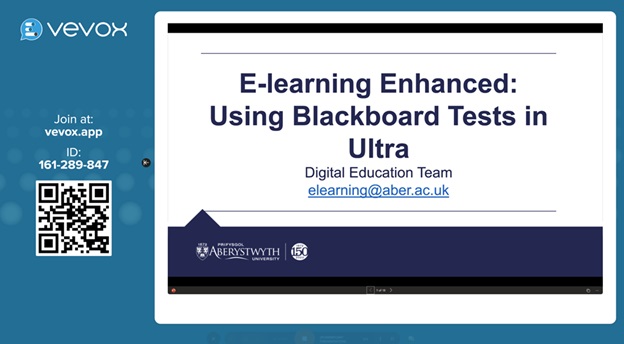
You can now embed a presentation in the presenter view of Vevox, meaning that you don’t need to switch tabs – the PowerPoint is completely embedded.
Adjust number of decimal places
The number of decimal places can be amended in your poll settings. The default is 0 decimal places but this can be configured to show 1 or 2 decimal places.
For further information, see Vevox guidance: Create numeric polls – Vevox helpsite.