AI and the Library. Week Five: Using AI to Develop Smart Keyword Searches.

Here at the library, we’re big fans of Primo, the library catalogue. With Primo, you’re not just able to find the books on our shelves, you’re also getting access millions of digital resources, all ready and waiting at your fingertips.

But with so many resources available to you, searching the library catalogue can sometimes feel frustrating. If you use too broad a search (e.g. “history”) then you are inundated with results. Too narrow a search term (“Neo-Gothic architecture in rural Chile”) and you’ve got nothing!

So what can you do? Our advice as subject librarians is to start by building a keyword vocabulary. Having a clear set of keywords will make your searches more targeted, helping you focus on the most relevant and useful resources. It’s a simple step that can make a huge difference in your research journey!

How Can AI Help You Build a Search Vocabulary?

An AI tool like ChatGPT can suggest smarter keywords, synonyms, and related concepts to make your searches more effective. Let’s look at some examples.

1. Smarter Alternatives to Broad Terms.

[Prompt] Suggest some keyword alternatives for “Climate change”

The AI might respond with:

  • Global warming.
  • Climate crisis.
  • Greenhouse effect.

2. Investigating Causes.

Want to explore what drives climate change? Try:

[Prompt] Provide me with a list of keywords for some of the main causes of climate change.

The response:

  • Carbon dioxide emissions.
  • Fossil fuels.
  • Industrial pollution.
  • Methane emissions.

3. Exploring Impacts.

    Do you want to focus on how climate change affects the planet? Use:

    [Prompt] Suggest keywords for the main impacts of climate change.

    Response:

    • Sea level rise.
    • Melting polar ice caps.
    • Extreme weather events.
    • Biodiversity loss.
    • Ocean acidification.

    4. Looking for Solutions

    For mitigation strategies, try:

    [Prompt] Suggest keywords for how climate change can be mitigated.

    Response

    • Renewable energy.
    • Carbon sequestration.
    • Climate change policies.
    • Green technology.
    • Sustainable development.

    Putting It All Together

    Finally, combine these ideas for a more complex search. For example:

    {Prompt] Suggest a set of keyword searches to find resources on the effects of methane emissions on biodiversity loss and what can be done to mitigate those effects.

    The AI might help you craft a search that looks like this:

    • Methane emissions and biodiversity.
    • Impact of methane on Arctic ecosystems.
    • Methane mitigation technologies in permafrost regions.

    By using AI to build a targeted keyword vocabulary, you’ll spend less time searching and more time discovering the resources you need.

    [Responses listed above were created with ChatGPT].
    AberSkills. Your skills hub

    Do you want to develop your academic writing skills, learn about using the library and its resources, get to grips with referencing, or improve your employability skills?

    Good news! These topics and more are covered in the Semester 1 AberSkills programme, which is available for free for all students at Aberystwyth University.

    AberSkills Workshops take place throughout the academic year and are a mixture of face to face and online sessions. Most sessions are offered in both Welsh and English.

    All workshops are listed on the AberSkills website. Take a look to see what’s available and book your place in a click.

    If you miss a session and want to catch-up, academic skills and library workshop teaching materials for 2023-2024 are available on Blackboard under Organisations. 2024-2025 workshop teaching materials will be uploaded soon after the session.

    Introducing: LibKey Nomad

    LibKey Nomad is a downloadable browser extension that automatically provides instant links to articles from journals if your library subscribes to them. LibKey Nomad’s one-click access to articles referenced on scholarly websites and search engines will make your research and finding sources faster and easier.

    Download LibKey Nomad here

    Using LibKey Nomad is simple. Visit the download page and add the extension to your browser of choice. After installation, you will be prompted to select your institution. Simply select Aberystwyth University and LibKey Nomad will then notify you of articles available through the library wherever you may roam online.

    LibKey Nomad will also enhance your experience on popular sites like PubMed, Wikipedia, Scopus, Web of Science and more.

    Comparison

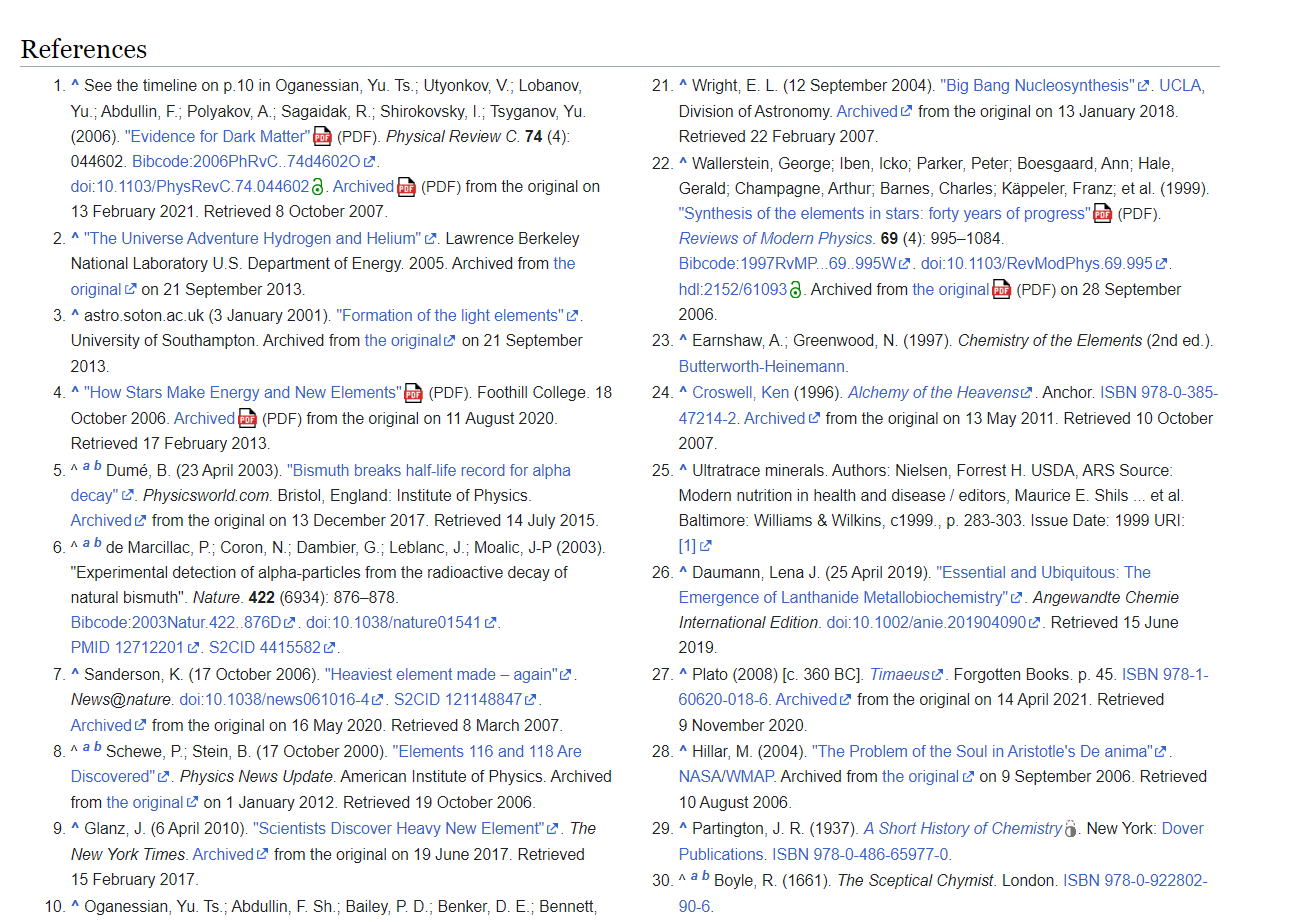
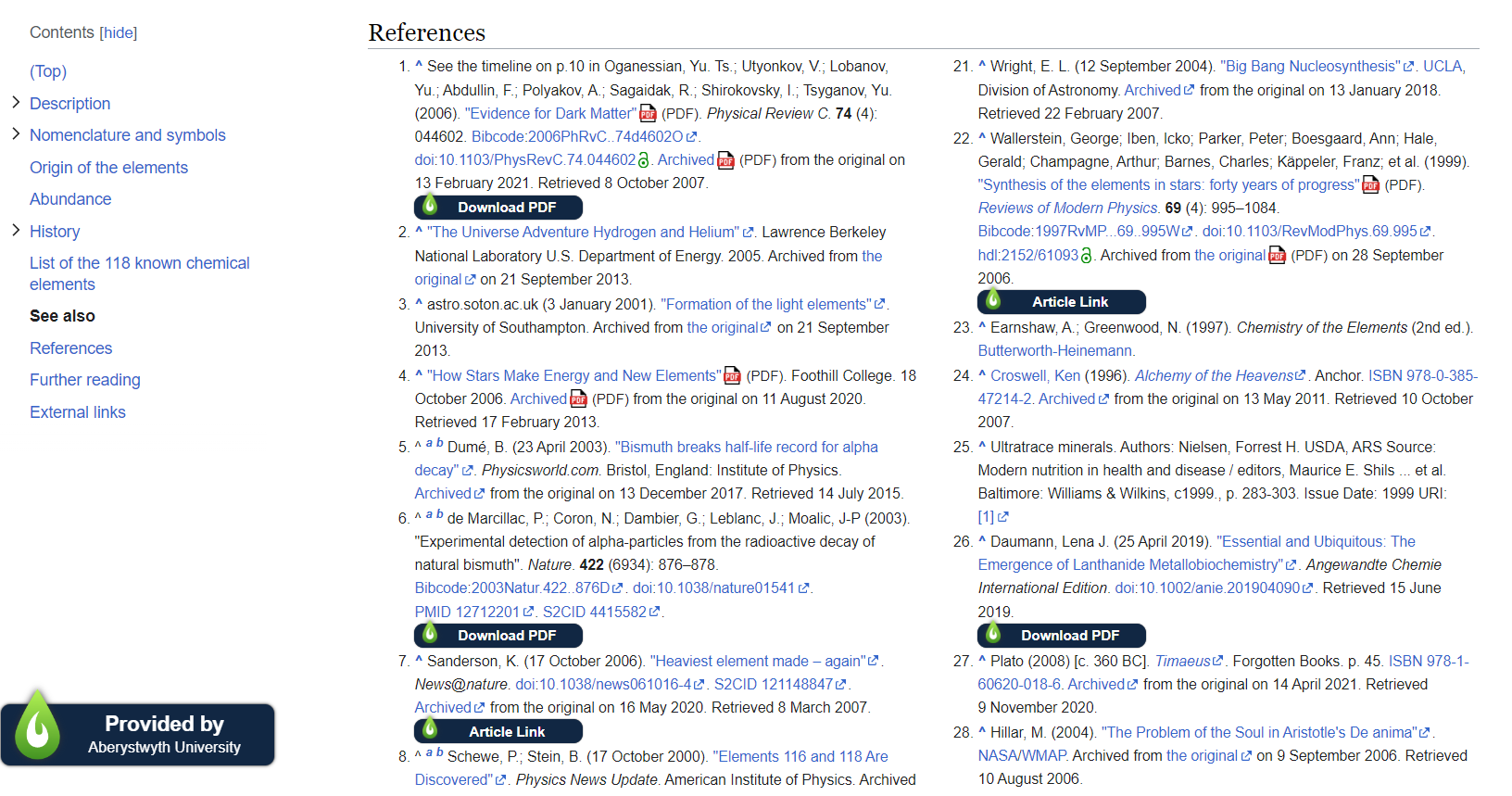
    Here’s an example of a reference list on Wikipedia before LibKey Nomad is installed and after (scroll across to compare):

    References on Wikipedia before and after installing the LibKey Nomad browser plugin

    You can see that LibKey Nomad adds a link to the article if the library has access to it. Clicking on the link takes you directly to the source.

    Find out more about LibKey Nomad in the video below:

    If you have any questions or feedback about LibKey Nomad, please email us on librarians@aber.ac.uk. As always, if you need help finding resources for your studies, please get in touch with your Subject Librarian.

    Libraries Week 2022 – Lifelong Learning

    The theme of this year’s Libraries Week is the central role that libraries play in supporting life-long learning.

    Today our focus is on our Lifelong Learning students and external users.

    Lifelong Learning

    LibGuides Our Lifelong Learning LibGuide is your complete guide to library and learning resources for your subjects. Here you’ll find details on key resources and guidance on how to use the library and who to contact for help.

    The Lifelong Learning LibGuide homepage

    Effective Study Collection The Effective Study Collection is designed to help you develop your study skills. It covers topics including how to research, writing skills, academic writing, time management, communications skills and some general guides to help you research and study in the arts. If you are returning to education after a break, have a look.

    Study spaces and IT facilities at the library Don’t forget that Lifelong Learning students can also make use of the library’s facilities, such as quiet study spaces, computers, excellent WIFI and printing and copying facilities. Browse our A to Z of library services here.

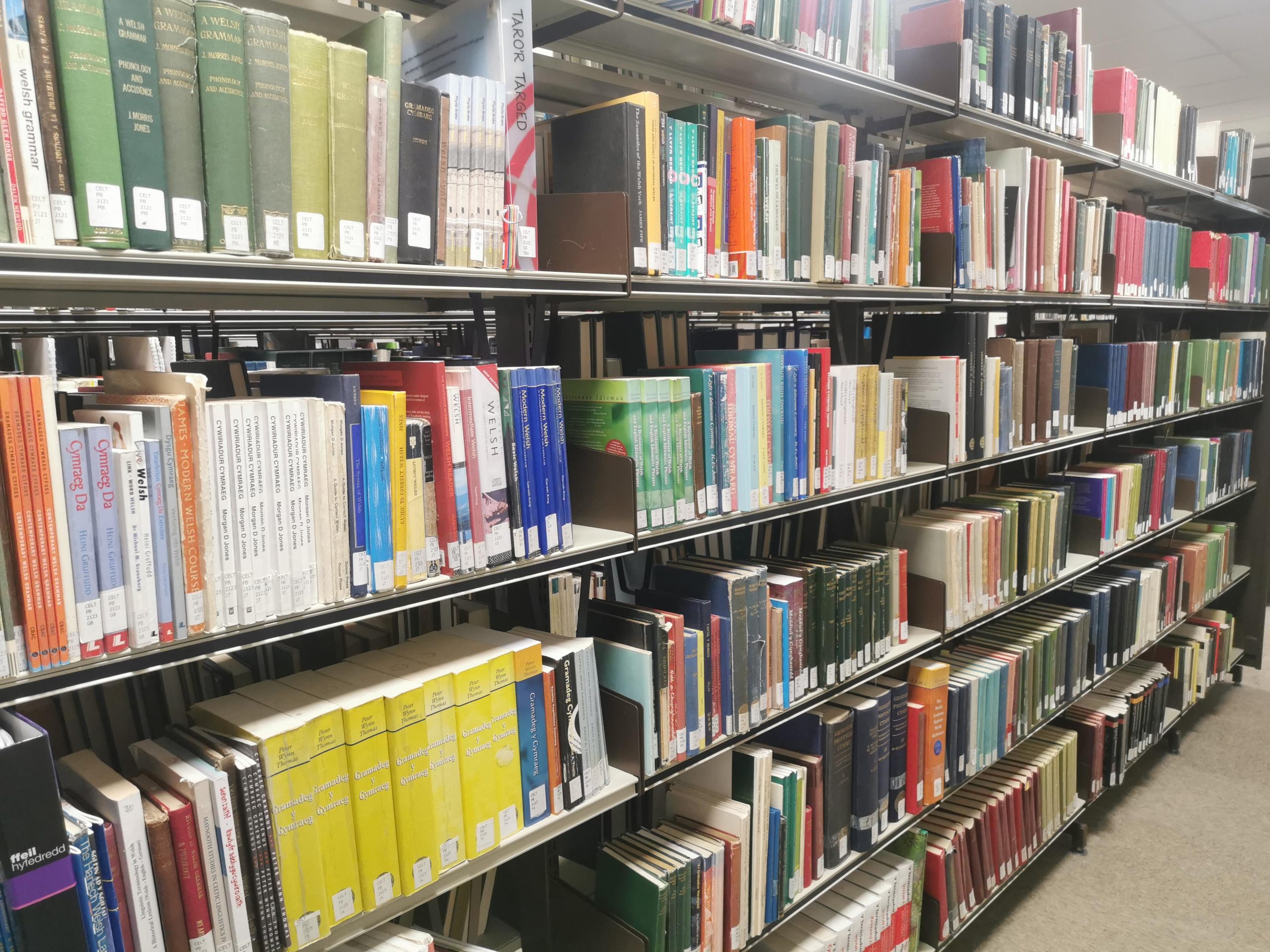
    The Celtic Collection The Celtic Collection contains approximately 25,000 books relating to Brittany, Cornwall, the Isle of Man, Ireland, Scotland and Wales. The collection contains material on all subjects relating to Celtic countries, and is a wonderful resource for all researchers and enthusiasts.

    Learning Welsh or looking to improve your skills? You’ll find everything you need to help you practise and develop your reading and speaking skills – from graded novels with vocabulary to grammar books.

    Find the Celtic Collection of Level F of the Hugh Owen library:

    Some of the Welsh-language resources in the Celtic Collection

    Digimap Digimap offers full and comprehensive Ordnance Survey map data and historic maps as well as geological data. It is a fascinating resource and very useful for local history researchers as well as Earth Sciences. You just need to have an Aberystwyth University email account to register to access it.

    Linkedin Learning All AU students and staff have free and unlimited access to the wealth of expert-led courses available online 24/7 through Linkedin Learning.

    Here’s a small selection of courses chosen by our Student Digital Champion, Urvashi Verma, that may be of interest to Lifelong Learning students.

    Lifelong Learning Collection A collection of courses and short videos to help you develop your study skills and improve your time management skills.

    Urvashi Verma

    External Users

    Our libraries welcome different categories of external users, from Aber Alumni and retired staff members who are keen to maintain their access to library resources, students at other institutions who are visiting Aber and need a place to study or local residents.

    Take a look at the categories and registration details online here: Information for Visitors and External Users

    Special Collections External users can apply to use the library’s IT facilities and study spaces, and can also arrange to view items in our beautiful special collections.