
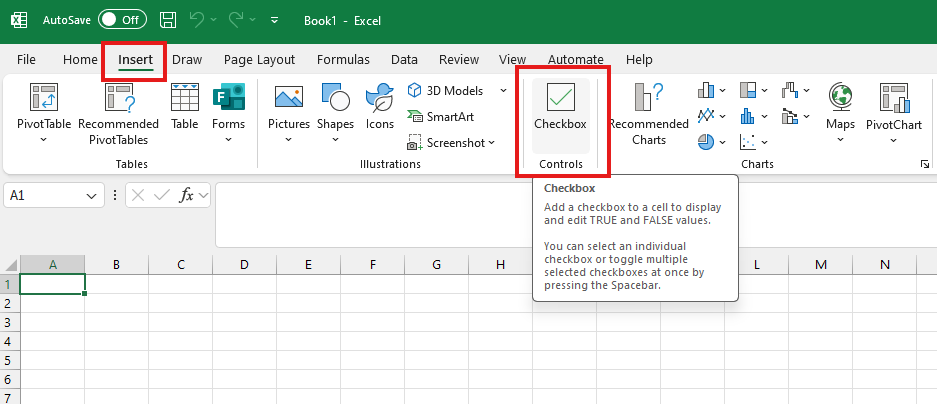
Excel can be a great way to plan, schedule and keep track of things such as budgets or project tasks. But did you know that you can insert checkboxes into your spreadsheet so that you can easily check off your work. To do this go to insert > checkbox.
To follow our DigiTips, subscribe to our Digital Skills Blog. Or alternatively, you can bookmark this webpage, where a new DigiTip will be added each week!